Key takeaways
AITube has free official apps for iPhone and Android, plus a full web version at aitube.app for PC and Mac.
The apps cover watching, AI video generation, uploading and Prompt Battles; AITube Faceless is web-only.
You can sign up and log in with Google, email, or Apple on iPhone. Watching doesn't need an account at all.
Avoid third-party "AITube APK" downloads; install only from official app stores.
AITube is an AI-only video and music platform where you can watch AI videos, Shorts, dramas, movies and songs, and create your own with built-in AI models. You can use it in a browser, but most people watch AI Shorts and short dramas on their phone, so the app is the most convenient way in.
This guide walks you through downloading the AITube app on Android and iPhone, using AITube on PC, creating an account, logging in, and fixing the most common problems.
What can you do in the AITube app?
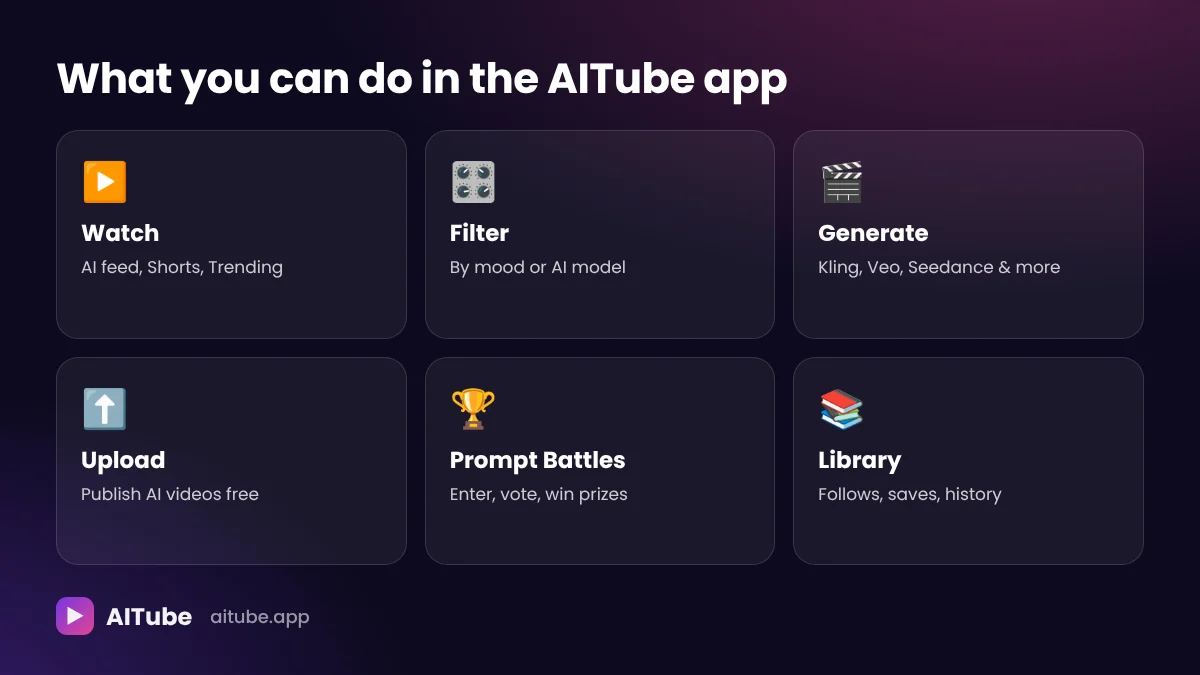
The AITube apps for iPhone and Android include the main parts of the platform:
Watch: the AI-only home feed, Shorts for vertical clips, Trending, and categories like Entertainment, Storylines, AI Music, AI Trailers and Memes.
Filter: narrow the feed by mood or by the AI model behind a video.
Generate: create AI video clips in AI Studio with models such as Kling 4.0, Veo 3.1, Seedance 2.0/2.5, MiniMax H3 and Runway Gen-4.5.
Upload: publish AI videos you've made, free.
Prompt Battles: enter themed AI video challenges and vote on others' entries.
Account features: likes, comments, follows, your Library and watch history.
What's web-only? AITube Faceless, the tool that turns an idea or script into a narrated video, is currently available only on the web version.
How to download the AITube app on Android
Open Google Play
Launch the Play Store app on your Android phone or tablet.
Search for AITube
Type "AITube" into the search bar and check that the developer and app icon match the official AITube listing. You can also follow the app link from aitube.app.
Tap Install
The app downloads and installs automatically. It's free.
Open AITube
Start watching straight away, or sign in to unlock follows, your Library and creation tools.
What about an AITube APK?
You may see websites offering an "AITube APK" or "AITube mod APK." Avoid them. Unofficial APK files can be modified, out of date, or bundled with malware, and they won't receive security updates. Always install from Google Play or from the link on AITube's official website.
How to download the AITube app on iPhone and iPad
Open the App Store
Launch the App Store on your iPhone or iPad.
Search for AITube
Type "AITube" and make sure you're opening the official listing, or use the link on aitube.app.
Tap Get
The app is free to download.
Sign in or start watching
On iPhone you can sign in with Apple, Google or email, or just start watching without an account.
How to use AITube on PC or Mac
There's no separate desktop program to install. To use AITube on a PC, laptop or Mac:
Open any modern browser, such as Chrome, Edge, Safari or Firefox.
Go to aitube.app.
Start watching, or click Sign In at the top right to log in.
The web version is the most complete version of AITube. It includes everything in the app plus AITube Faceless, the video editor and other creator tools. If you want an app-like experience, many browsers let you install a website as an app or pin it to your taskbar.
How to sign up for AITube
Creating an account is free and takes under a minute.
Go to the sign-up page
Open aitube.app and click Start creating, or go directly to aitube.app/signup. In the app, tap Sign In.
Choose a sign-up method
Pick Google, email, or Apple (on iPhone).
Confirm your details
If you use email, follow the confirmation steps.
Set up your profile
Add a name and profile picture. A complete profile is also required later if you want to become a verified, monetized creator.
Start exploring
Follow creators, save videos to your Library, and try AI Studio.
Do you need an account to watch? No. Watching on AITube is free and doesn't require an account. You only need one to like, comment, follow, save videos, create, upload or enter Prompt Battles.
How to log in to AITube
On the web: go to aitube.app/login (or click Sign In at the top of any page) and choose the same method you signed up with: Google, email or Apple.
In the app: tap Sign In and pick your method.
Tip: if you signed up with Google, always log in with Google. Choosing email instead can leave you looking at a different, empty account. The same goes for Apple.
AITube app vs web: which should you use?
Both are free and use the same account, so you can switch between them anytime. Here's how they compare:
AITube app (iPhone/Android) | AITube web (aitube.app) | |
|---|---|---|
Watching AI videos and Shorts | Yes, full-screen vertical | Yes |
AI Studio generation | Yes | Yes |
Uploading videos | Yes | Yes |
Prompt Battles | Yes | Yes |
AITube Faceless | No | Yes |
Video editor and creator tools | Limited | Full |
Best for | Watching Shorts and short dramas on the go | Creating, editing and managing your channel |
In short: use the app for watching and quick creation on your phone, and the web version for longer creative sessions, Faceless videos and channel management.
Your first 10 minutes on AITube
Just installed the app or signed up? Here's a quick way to get set up:
Follow five creators. Browse Trending and Storylines, and follow creators whose style you like. Your feed gets better immediately.
Save something to your Library. Find an AI drama or series and save it so you can pick it up later.
Try the mood filter. It's the fastest way to find something that fits how you feel right now.
Open AI Studio. Type a one-sentence scene and see what different models produce. The credit cost is shown before you generate, and failed generations aren't charged.
Look at the open Prompt Battles. Even if you don't enter, voting on entries earns credits.
Complete your profile. A name, photo and bio make your channel look trustworthy, and a complete profile is needed later for verification.
Common AITube login problems and fixes
Problem | Try this |
|---|---|
"Account not found" | Make sure you're using the same sign-in method you signed up with (Google, email or Apple). |
Not receiving the email | Check your spam or promotions folder, and confirm the email address is spelled correctly. |
Google sign-in won't open | Update your browser or app, allow pop-ups for aitube.app, and try again. |
Stuck on a loading screen | Refresh the page or restart the app. Clearing the browser cache often helps. |
Logged out on a new device | That's normal. Sign in again with your usual method on each device. |
Still stuck | Use AITube's Help Center or Contact page, linked from the site menu. |
Is the AITube app free?
Yes. Downloading the app, creating an account, watching and publishing are all free. AITube's Free plan costs $0.
You only pay if you generate a lot of AI video:
Plan | Price | What you get |
|---|---|---|
Free | $0 | Account, watching, publishing, community |
Pay As You Go | $3 for 150 credits | Credits never expire |
Creator | $19.99/month | 1,050 credits that roll over |
Pro | $34.99/month | 2,200 credits that roll over |
A few notes: plan credits roll over (up to three extra months' worth) and stay if you cancel, you can cancel anytime from My Plan, and unused credits from a card payment can be refunded within 30 days via My Plan, Billing.
Is the AITube app safe?
AITube uses AI-powered safety filters, human moderators and community guidelines. Deepfakes, violent or harmful content and non-consensual imagery are prohibited. You can report videos, threads and battle entries, and block users. AITube requires users to be at least 13.
To stay safe yourself:
download only from official app stores or links on aitube.app,
never share your login details,
be wary of messages promising free credits in exchange for your password.
Getting the most out of the AITube app
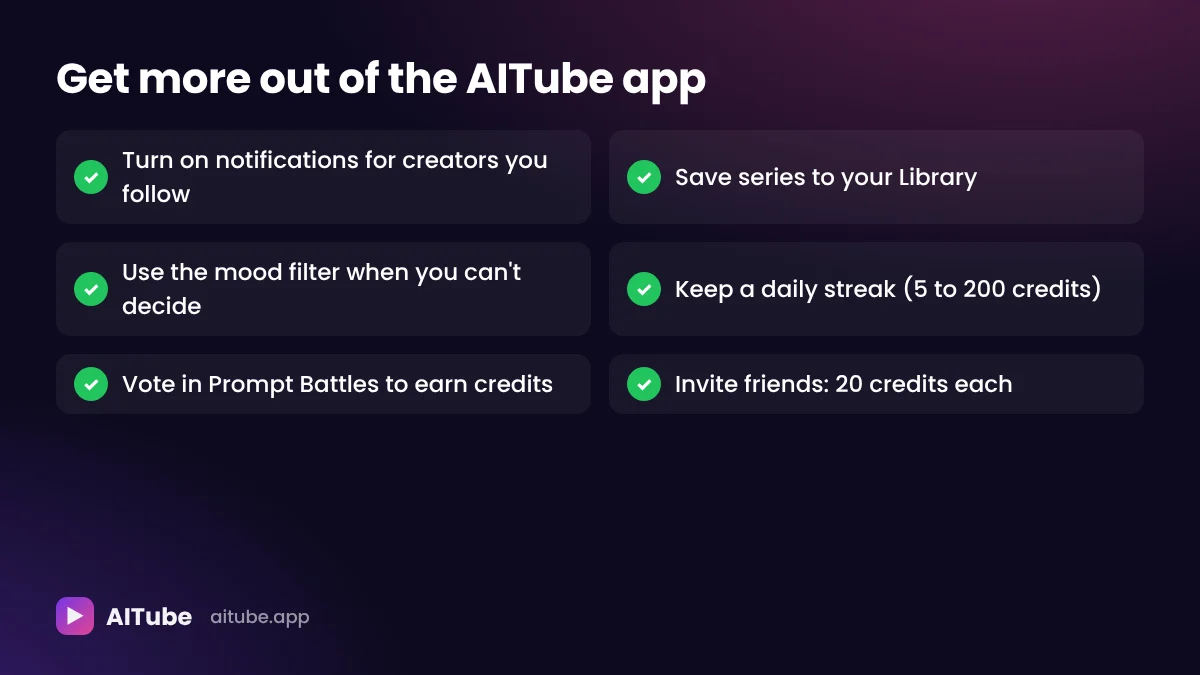
Turn on notifications for creators you follow, so you see new episodes and videos first.
Use the Library to save AI dramas and series you're watching.
Try the mood filter when you don't know what to watch.
Keep a daily streak. Streaks pay 5 to 200 credits at milestones, and a streak of 7 days or more boosts your own videos in the feed.
Vote in Prompt Battles. Voting on entries earns credits, up to a daily limit.
Invite friends. You get 20 credits for each friend who signs up and verifies.
Becoming a creator from the app
The app isn't just for watching. Once you're signed in, you can start creating right away:
Generate a clip in AI Studio by describing a scene in a sentence or two, choosing a model, aspect ratio and length.
Upload an AI video you made with any tool, adding a title, description, the AI model you used and, optionally, your prompt.
Enter a Prompt Battle, with no follower minimum. Most battles are free to enter, and prizes are cash or credits.
Grow toward monetization. Approved creators earn 55% of ad revenue on their videos' watch pages. The requirements are 150 followers, 300 public video views in the last 60 days, 2 public videos and a one-time identity check.
Vertical videos you publish automatically appear in Shorts, and your followers are notified each time you post.
How to delete your AITube account
If you ever want to leave, you can delete your account from the About tab of your channel. Deleting your account is permanent, so download anything you want to keep first.
Frequently asked questions
Get the AITube app
Whether you want to binge AI short dramas on your commute or generate your own AI clips on the go, the AITube app puts the whole platform in your pocket, free.