Key takeaways
AI filmmakers simplify different stages of movie production.
You can create cinematic videos using text-to-video and image-to-video tools.
AI movie generators support short films, trailers, animations, and storytelling.
Breaking a movie into individual scenes provides better creative control.
Character consistency is important when producing longer films.
AI storyboards help organize scenes before video generation.
Video editing, sound effects and dialogue improve the final result.
AITube provides a platform for publishing AI-generated films and growing an audience.
Imagine creating a cinematic movie without owning a professional camera, hiring actors, renting a filming location or managing an expensive production team. You have a story in your mind, a few characters, an interesting setting, and a vision for how everything should look.
Now imagine turning that idea into a visual story using artificial intelligence.
This is what modern AI filmmaking makes possible.
An AI film maker can help transform written descriptions, scripts, images and creative ideas into video content. From short cinematic scenes and movie trailers to animated stories and experimental films, AI technology is changing how independent creators approach filmmaking.
You no longer need to begin every project with traditional video production. You can start with an idea, develop a script, generate individual scenes, experiment with different visual styles and combine the results into a finished film.
Platforms such as AITube also provide a place to publish AI-generated films, share your creative work and connect with an audience interested in AI entertainment.
In this guide, we will explore how AI movie makers work, how to create an AI short film, which tools and workflows can help, and how AITube fits into the modern AI filmmaking process.
What Is an AI Film Maker?
An AI filmmaker is a tool or collection of tools that uses artificial intelligence to help produce movie-style video content.
Traditional filmmaking usually involves several production stages:
Story development.
Scriptwriting.
Character design.
Storyboarding.
Casting.
Filming.
Editing.
Sound design.
Post-production.
AI filmmaking tools can simplify or automate parts of these processes.
For example, a creator can write a description of a scene and use an AI video generator to create a visual sequence. Another tool can generate character images, voiceovers, music or additional footage.
The creator then combines the different elements into a coherent story.
An AI filmmaker can be useful for:
Creating short films.
Making cinematic videos.
Producing movie trailers.
Developing animated movies.
Creating fantasy and science-fiction scenes.
Producing promotional films.
Testing movie concepts before full production.
Developing visual stories for social media.
The technology is particularly interesting for independent filmmakers who want to experiment without the financial requirements of traditional movie production.
How Does an AI Movie Maker Work?
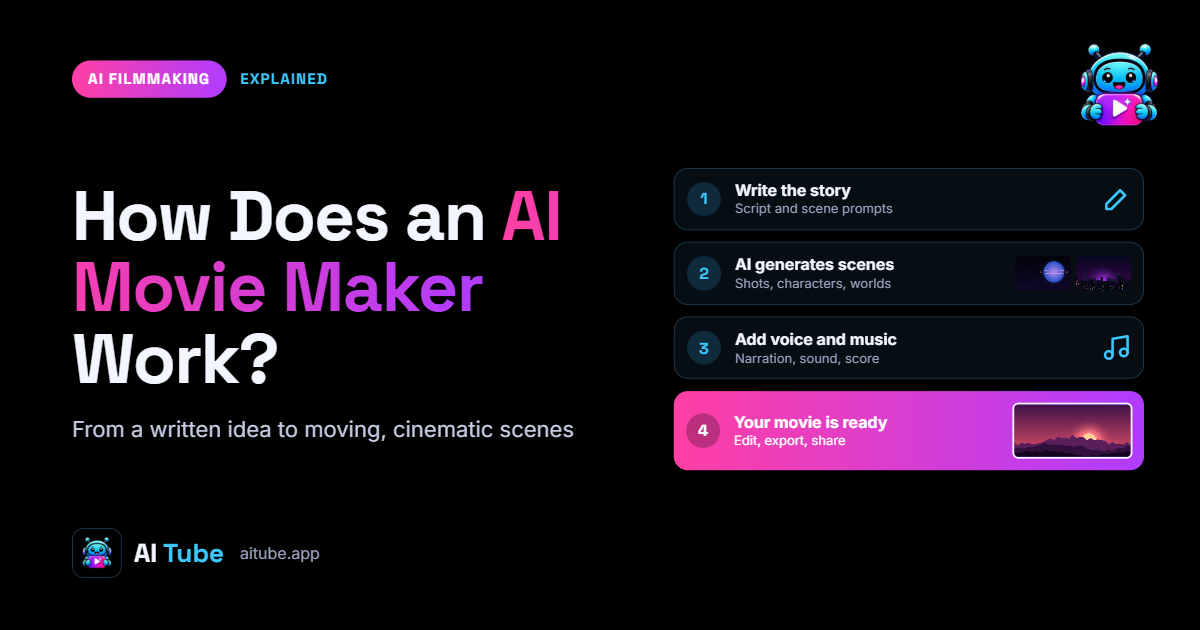
Most AI movie makers use machine learning models trained to understand visual information, language and motion.
Although different tools have different workflows, the general process is relatively straightforward.
Step 1: Start With a Movie Idea
Every film begins with an idea.
For example, you might want to create a science-fiction movie about a group of astronauts who discover an abandoned city on another planet.
Before generating anything, think about the main elements:
What is the story about?
Who are the main characters?
Where does the story take place?
What happens in the opening scene?
What is the main conflict?
How should the movie end?
You do not need a complete professional screenplay at this stage. A simple story outline is enough to begin.
Step 2: Write a Script
The next step is converting your idea into a script.
An AI writing assistant can help develop dialogue, scene descriptions, character backgrounds and story structure.
For example:
Movie Title: The Last Signal
Genre: Science Fiction
Scene 1: A spaceship approaches an abandoned planet.
Scene 2: The astronauts discover an unknown signal coming from beneath the surface.
Scene 3: One astronaut enters an underground facility and discovers evidence of an ancient civilization.
Scene 4: The signal suddenly changes, revealing that something is still alive.
This simple structure provides a starting point for an AI-generated short film.
Step 3: Create a Storyboard
A storyboard breaks your script into individual visual scenes.
Instead of generating an entire movie in one attempt, you plan each shot separately.
For example:
Wide shot of the spaceship approaching the planet.
Close-up of the astronaut looking through a window.
Camera movement across the abandoned landscape.
Interior shot of the underground facility.
Close-up of a mysterious control panel.
This approach gives you more control over the final result.
Step 4: Generate Your Movie Scenes
Now you can use an AI video generator to turn your descriptions into video clips.
Modern models can create different types of visual content, including cinematic environments, character movements, animated sequences and camera movements.
The result depends on the model, prompt, reference materials and generation settings.
For better results, describe the following elements in each prompt:
Main subject.
Physical action.
Environment.
Camera angle.
Lighting.
Visual style.
Mood and atmosphere.
For example:
"A lone astronaut walking through an abandoned futuristic city at night, glowing blue buildings, cinematic wide-angle camera, realistic lighting, atmospheric fog, slow camera movement, science-fiction movie aesthetic."
A detailed prompt gives the model more information about what you want to see.
Step 5: Edit and Combine the Clips
Individual AI-generated scenes do not automatically become a complete movie.
You need to arrange the clips in the correct order, add transitions, adjust pacing and include audio.
Video editing is particularly important because it connects separate generations into one understandable story.
You may also need to correct inconsistencies between shots, add subtitles and adjust the audio levels.
AI Movie Generator: What Can You Create?
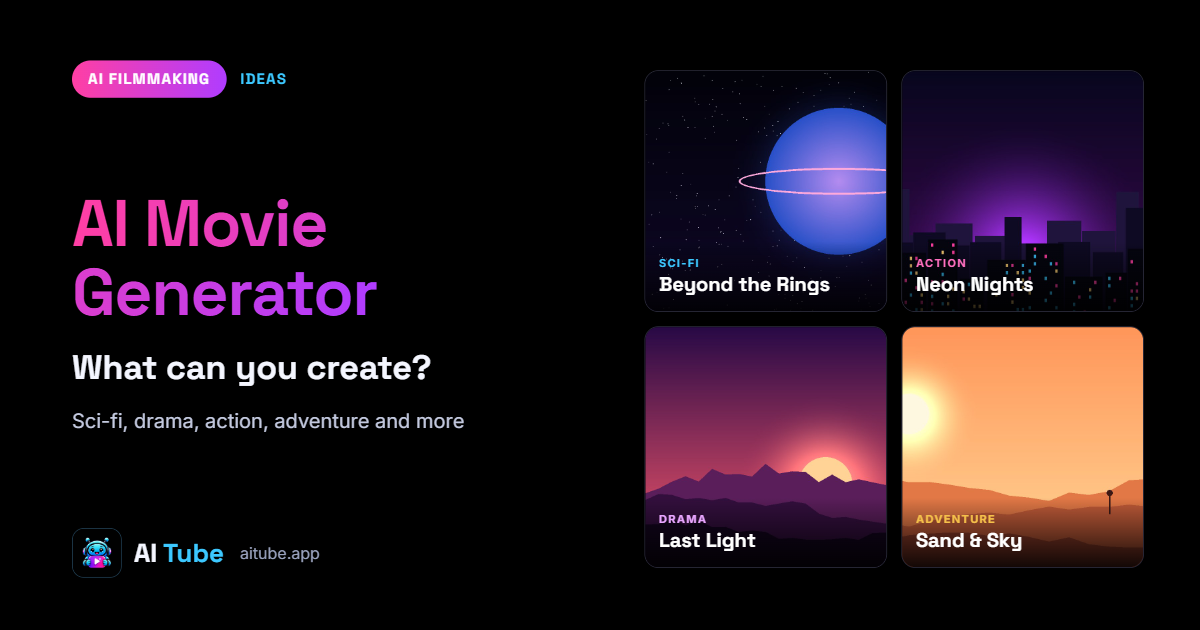
An AI movie generator can support several filmmaking styles.
1. AI Short Films
Short films are among the most accessible ways to experiment with AI filmmaking.
Instead of producing a feature-length movie, start with a story that can be told in one to five minutes.
Popular ideas include mystery stories, emotional scenes, science-fiction adventures, horror stories and fantasy animations.
Short projects are easier to manage because they require fewer scenes and less consistency between generations.
2. AI Cinematic Videos
An AI cinematic video generator can create movie-style visual sequences with dramatic lighting, camera movements and detailed environments.
These videos are useful for:
Movie introductions.
Promotional content.
Concept trailers.
Visual storytelling.
Music videos.
Social media content.
Creators can experiment with different cinematic styles without arranging a traditional film shoot.
3. AI Movie Trailers
An AI movie trailer generator can help create promotional videos for fictional movies or upcoming creative projects.
A good trailer does not need to explain the entire story.
Instead, it introduces the main characters, shows interesting moments, builds suspense and gives viewers a reason to watch the complete film.
A typical AI trailer workflow includes:
Select a movie concept.
Write a short trailer script.
Create five to ten visual shots.
Generate dramatic voiceover narration.
Add background music and sound effects.
Edit everything into a short promotional video.
4. AI Animated Movies
AI animation tools allow creators to experiment with cartoon characters, fantasy environments and imaginative visual storytelling.
You can develop an animated character, create different scenes and build a story around that character.
However, maintaining the same character design across multiple shots remains an important challenge. Reference images, consistent descriptions and carefully selected models can help.
5. AI Anime Movies
Anime-style AI filmmaking is another interesting creative category.
Creators can experiment with animated characters, fantasy battles, dramatic dialogue and fictional worlds.
A strong anime project needs more than attractive images. Characters, visual continuity, dialogue and scene progression all contribute to the final result.
How to Make a Movie With AI: A Practical Workflow
If you are new to AI filmmaking, do not begin by trying to create a full-length movie.
Start with a simple project.
Here is a practical workflow you can follow.
Project: A two-minute mystery short film.
Step 1: Choose the story.
A detective receives a mysterious message from someone who disappeared ten years ago.
Step 2: Develop the characters.
Create descriptions of the detective, the missing person and the mysterious location.
Step 3: Divide the story into scenes.
Plan approximately eight to twelve short scenes.
Step 4: Generate reference images.
Create visual references for the main characters and important environments.
Step 5: Generate video clips.
Use an AI video model to create each scene individually.
Step 6: Add dialogue and narration.
Generate or record the voices and match them with the scenes.
Step 7: Edit the movie.
Arrange the clips, add sound effects, music, subtitles and transitions.
Step 8: Export and publish.
Review the final video and publish it on an appropriate video platform.
This workflow can be adapted to horror, romance, science fiction, comedy, fantasy and documentary-style projects.
Can AI Create Full-Length Movies?
This is one of the most common questions about AI filmmaking.
The short answer is that AI can help create longer video projects, but producing a consistent full-length movie is still challenging.
Most AI video generation workflows produce relatively short clips. Creators therefore need to generate multiple scenes and combine them through editing.
Some of the main challenges include:
Character Consistency: A character may look different between generations unless reference images and consistent workflows are used.
Story Continuity: Every scene must follow the previous scene logically.
Dialogue Synchronization: Characters should appear to speak naturally, and dialogue must match the intended scene.
Visual Consistency: Lighting, costumes, locations and camera styles should remain coherent.
Production Time: Longer movies require more generations, editing and quality checks.
The practical approach is to create a movie scene by scene rather than expecting one prompt to produce a complete feature film.
AI Storyboard to Video: Turn Your Visual Plan Into a Film
A storyboard is especially useful when creating cinematic content with AI.
It allows you to plan the movie visually before spending credits on video generation.
For example, imagine you want to produce a fantasy film about a young explorer entering an ancient kingdom.
Your storyboard might include:
Scene 1: An aerial view of a mountain kingdom.
Scene 2: The explorer approaching an enormous stone gate.
Scene 3: A close-up of mysterious symbols.
Scene 4: The gate slowly opening.
Scene 5: A hidden city appearing behind the gate.
Scene 6: The explorer discovering a glowing ancient object.
Each scene becomes a separate generation task.
This gives you more control over camera composition, pacing and storytelling.
It also makes it easier to replace a weak scene without generating the entire project again.
What Is the Best AI Film Maker in 2026?
There is no single best AI film maker for every project.
The right tool depends on the type of content you want to create.
Some models are better suited to cinematic visuals, while others may work better for animation, motion or specific visual styles.
When evaluating an AI filmmaking platform, consider:
Video quality.
Maximum generation duration.
Character consistency.
Camera movement.
Image-to-video support.
Text-to-video capabilities.
Audio and voice features.
Generation speed.
Credit costs.
Commercial usage rights.
AITube provides access to multiple video generation models through its AI Creator Studio, including Seedance 2.0, Seedance 2.5, Hailuo 02 and PixVerse V5.
Rather than treating every model as identical, creators can experiment and choose the available model that best matches their creative requirements.
AITube: Create AI Videos and Publish Your Films
Generating a film is only one part of being an AI filmmaker.
After finishing a project, you need a place where people can discover it.
This is where AITube becomes useful.
AITube is an AI-only video platform where creators can publish AI-generated videos, Shorts and other creative content.
You can use AI Creator Studio to generate videos or upload eligible AI videos created with other tools.
Your channel provides a dedicated place for your creative work, while the platform's video feed and search help viewers discover AI-generated content.
AITube also provides opportunities to participate in Prompt Battles, connect with other creators and work toward monetization.
For filmmakers who want to build an audience around their AI-generated projects, this publishing and community experience can be an important part of the workflow.
Visit AITube to explore the platform.
Can AI Filmmakers Earn Money From Their Movies?
AI filmmaking can create several opportunities beyond simply producing videos.
Creators can publish their work, build an audience, enter creative competitions and explore licensing opportunities.
AITube offers several ways for creators to participate:
Prompt Battles: Enter themed competitions and compete for published cash or credit prizes.
Ad Revenue: Approved creators can earn 55% of the revenue from advertisements on their video watch pages.
Creative Reuse: Enable eligible licensing options so other creators can reuse your videos.
Affiliate Program: Refer subscribers and earn eligible subscription commissions.
For ad monetization, the published requirements include 150 followers, 300 public views in the previous 60 days, two public videos and account verification. Approval is required.
These opportunities do not guarantee income, but they give AI filmmakers additional reasons to publish and develop their creative channels.
Tips for Better AI Filmmaking Results
If you want to improve the quality of your AI-generated movies, focus on these practical techniques.
Write Detailed Prompts: Describe the subject, action, camera, lighting and environment instead of using short generic instructions.
Create Characters Before Scenes: Establish character descriptions and visual references before generating multiple shots.
Use Shorter Scenes: Generating individual shots gives you more control than trying to produce a long sequence at once.
Maintain a Visual Style: Choose a consistent color palette, lighting style and cinematic direction.
Plan Audio Early: Dialogue, background music and sound effects are part of storytelling, not just final editing details.
Review Every Generation: AI models can produce unexpected results. Check each clip before using it in your final project.
Respect Content Rights: Use original concepts, authorized reference materials, appropriate music and properly licensed assets.
Final Thoughts: Start Making Movies With AI
AI filmmaking is opening creative opportunities for people who previously lacked access to professional production resources.
You can now develop movie concepts, generate cinematic scenes, create trailers, and experiment with animated storytelling using AI-powered tools.
However, the best results still come from creative direction. A good story, carefully planned scenes, consistent characters, and thoughtful editing make a significant difference.
Start with a short film, learn how different models interpret your prompts, and gradually experiment with more complex projects.
Once your video is ready, publish it, share your work, and connect with people who enjoy AI-generated entertainment.
AITube gives AI filmmakers a dedicated place to make, publish, and share their creative work.
Explore AITube and take your first step into AI filmmaking.