Changelog updated 14 Nov 2026

What's new on AITubeEvery launch, and how to start.

New AI models and features as they go live: what each one is, what it's best for, how to try it and what it costs today. Launch offers show their end date and their limits, never a countdown.

Launches listed
9
In the last 30 days
9
Latest
12 Nov 2026
AI Movie: storyboard first, then the cutLaunched 12 Nov 2026

All launches

RSS feed
12Nov 20269 launches
NewCreateEarn

Make this: remake a video's recipe

Under a video made on AITube, Make this opens Create with the same recipe: model, length, shape and camera moves, plus the prompt when its creator shared it. Creators who share their recipe earn credits when people publish remakes.

Best for

  • Learning how a video was made
  • Remixing a style that works
  • Creators who share their prompts

How to start

Tap Make this under a video on Watch, Shorts or the feed, then press Generate.

Where: On the web and in the AITube app, under videos made on AITube.
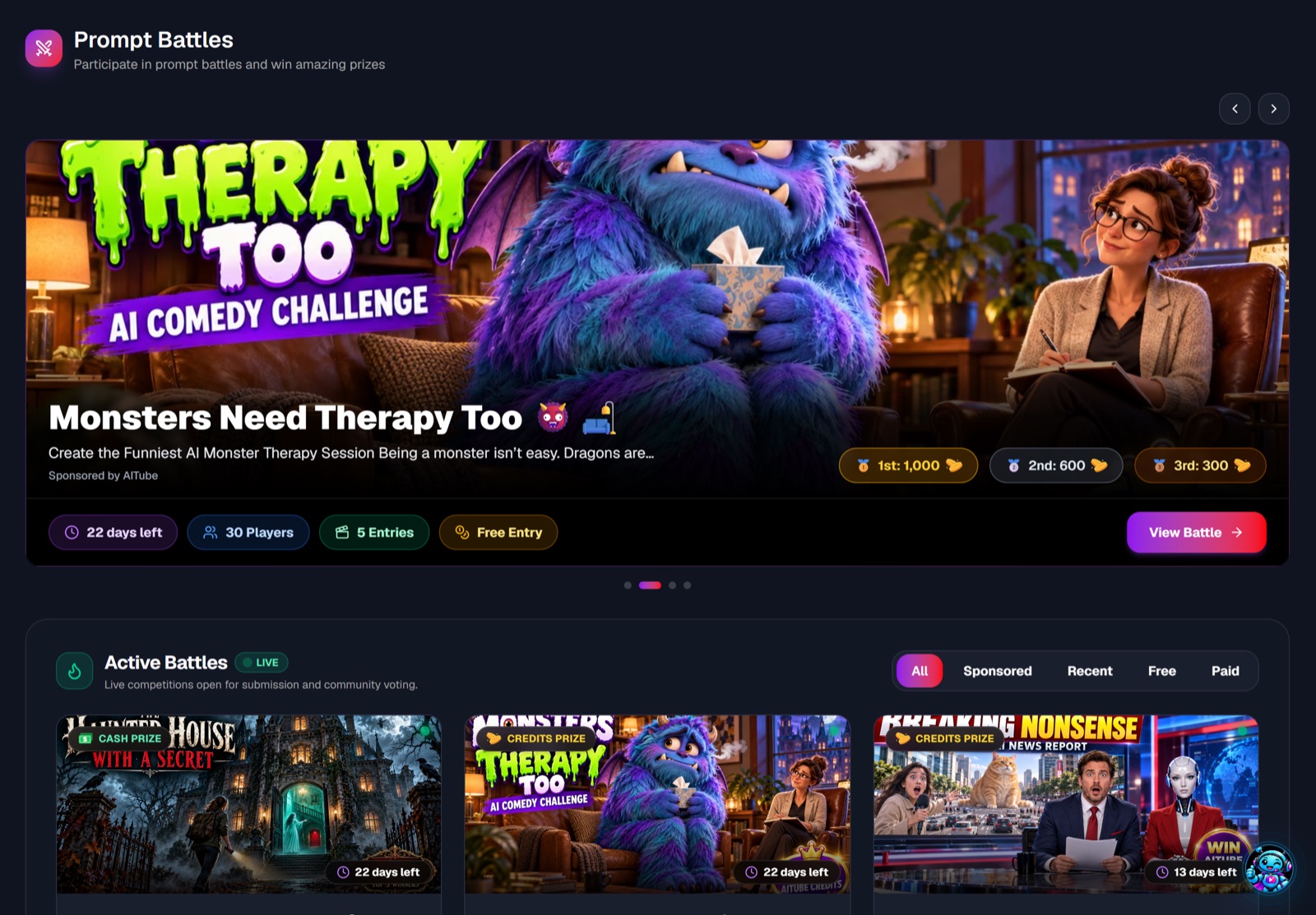
NewBattlesEarn

Made-on-AITube battles

Battles on the Made on AITube track only take videos the entrant generated on AITube, checked from server records, so everyone competes with what they made here.

Best for

  • Creators who make their entries on AITube
  • Battles without clips made elsewhere

How to start

Open Prompt Battles, pick a battle marked Made on AITube, generate your entry and submit it.

Where: On the web and in the AITube app, on battles marked Made on AITube.

See battles
NewStudio

Ad Maker

Turn a product photo or a product page link into short video ads. AITube reads the product's facts, writes three ad concepts without invented claims, and renders the ones you pick with voice, music and captions.

Best for

  • Product ads for TikTok, Reels and Shorts
  • Shops with a product page
  • Trying a few ad ideas side by side

How to start

Open AI Studio → Ad Maker, add a product link or photos, pick a concept, then render.

Where: On the web, in AI Studio. Each ad's price shows before you render, and you're charged once it's rendered.

Make an ad
NewCreate

Finish: upscale and add a voice

Upscale a video you made on AITube to 1080p (videos up to 60 seconds) or 4K (up to 20 seconds), or give it a voice with lip sync. The result is a new take, so the original stays.

Best for

  • Taking your best take to 1080p or 4K
  • Making a character say your lines
  • A licence code with every download of your own AITube videos

How to start

Open the video in AI Studio → Your content (or on its Create result) and choose Finish.

Where: On the web, for videos you made on AITube. The price shows before you start.

NewStudio

AI Movie: storyboard first, then the cut

Describe a story and AI Movie writes the shot list and cast first, free. Change any shot's model, camera move and length, film one shot on its own, then render the finished cut with voice and music.

Best for

  • Short films with several shots
  • Checking every shot before you pay for the render
  • Story videos with voice and music

How to start

Open Faceless → AI Movie, describe the story, edit the storyboard, then render.

Where: On the web. Frames and the render are priced before you start, and the render charges exactly that price.

NewCreate

Characters & products

Save a character, product, place or style once (1 to 4 photos, a short description and an @handle), then @mention it in a prompt so it looks the same in every shot.

Best for

  • The same character across shots
  • Product videos that keep the product right
  • Series with a recurring cast

How to start

Open AI Studio → Characters & products, add one, then type its @handle in a Create prompt.

Where: On the web, in AI Studio. Free accounts keep 3, Basic 20 and Pro 100. Real people need their consent confirmed.

NewNew model

Gemini Omni 1.2 Flash is on AITube

Google's Gemini Omni 1.2 Flash is in Create. It makes 3 to 15 second clips with sound, in 16:9 or 9:16, and can follow up to six reference images.

Best for

  • Keeping a look from reference images
  • Vertical and widescreen clips with sound
  • Fast takes

How to start

Open Create → Video, pick Gemini Omni in the model list, add reference images if you have them, write your prompt and press Generate. It won't take a photo of a recognisable real person as the start image.

Where: On the web and in the AITube app, in Create → Video, on every plan. The credits for each take show before you generate. It's also a quality tier in Faceless videos.

Price: From 42 credits for a 3-second take at standard quality. The exact price shows before you generate.

NewNew model

MiniMax Hailuo H3 is on AITube

MiniMax's newest Hailuo model is in Create. H3 makes 4 to 15 second clips with sound, at 768p or 2K, and can start from a picture you upload.

Best for

  • Sharp 2K takes
  • Starting from your own picture
  • Short clips with sound

How to start

Open Create → Video, pick MiniMax H3 in the model list, add a start picture if you like, write your prompt and press Generate.

Where: On the web and in the AITube app, in Create → Video, on every plan. The credits for each take show before you generate. It's also a quality tier in Faceless videos.

Price: From 43 credits for a 4-second take at standard quality. The exact price shows before you generate.

NewNew model

Kling 4.0 is on AITube

Kuaishou's newest video model is in Create. Kling 4.0 makes clips from 3 to 30 seconds with sound built in, at 720p or 1080p.

Best for

  • Longer single shots, up to 30 seconds
  • Scenes where the sound matters
  • Realistic people and motion

How to start

Open Create → Video, pick Kling 4.0 in the model list, write your prompt (describe the sounds too) and press Generate.

Where: On the web and in the AITube app, in Create → Video, on every plan. The credits for each take show before you generate. It's also a quality tier in Faceless videos.

Price: From 63 credits for a 3-second take at standard quality. The exact price shows before you generate.