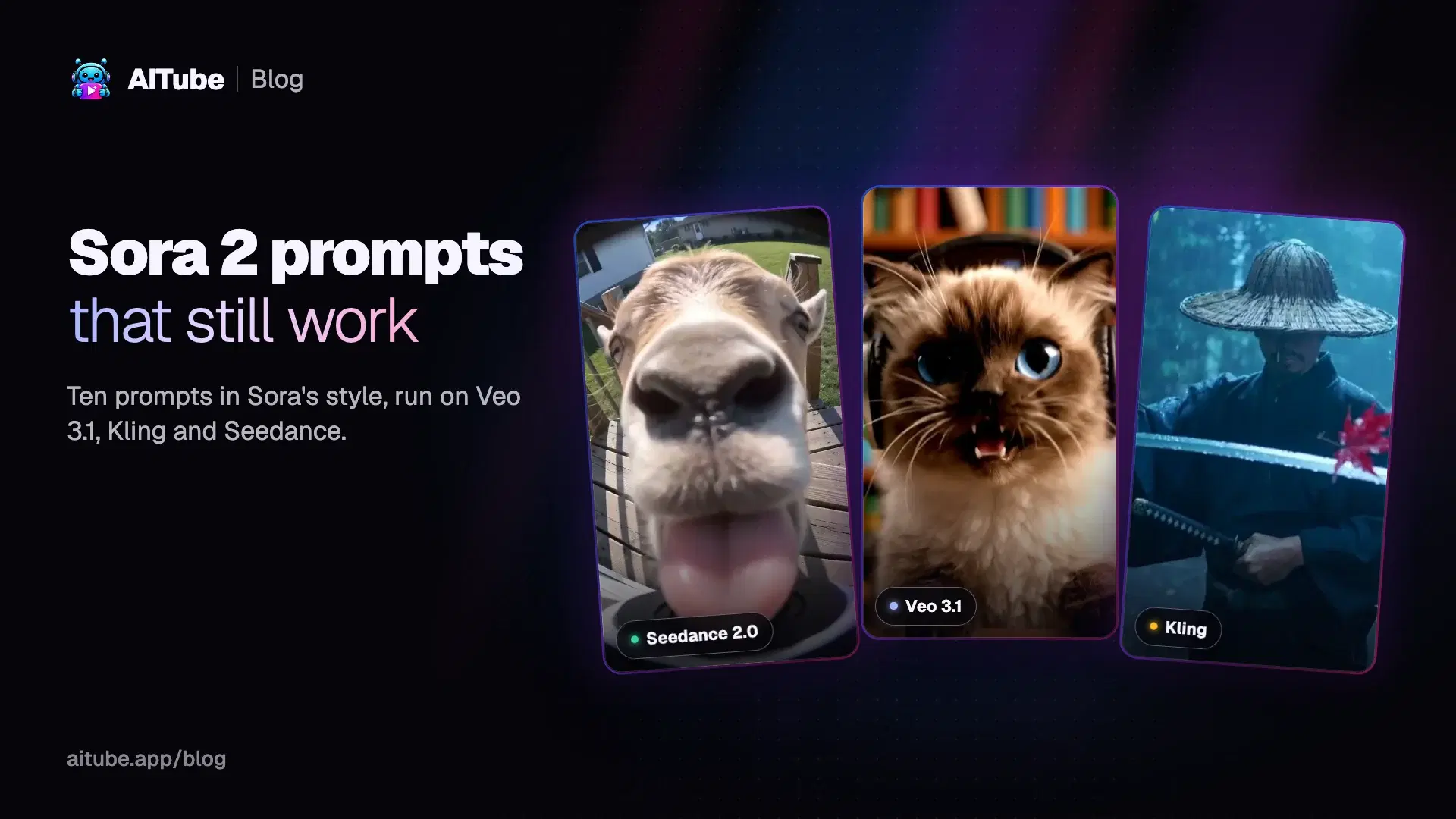
Sora 2 made prompts like "doorbell camera footage of…" and "a cat singing into a microphone" a genre of their own. OpenAI has since shut Sora down, but the prompts are just text, and the models that replaced it read them the same way. We collected 10 prompts in those styles, each with the clip it made on Veo 3.1, Kling, Seedance or Wan, and the small changes that make a Sora prompt work on each model, checked against the makers' own prompting guides on 12 November 2026.
Key takeaways
Sora 2 is gone: the app closed on April 26, 2026 and the API on September 24, 2026.
The prompts still work on Veo 3.1, Kling, Seedance and Wan, because they all read the same plain-language description.
One shot, one move: one clear camera move and one clear subject action per shot is still the best rule.
Change three things: clip length, how you write dialogue, and how you split shots differ by model.
Can you still use Sora 2 prompts?
Yes, on other models. OpenAI closed the Sora app on April 26, 2026 and the Sora 2 API on September 24, 2026; its deprecations page lists the Videos API and every Sora 2 model as removed, with no replacement. The prompts people wrote for Sora are plain descriptions of a shot, and that's what Veo 3.1, Kling, Seedance and Wan expect too. ByteDance's own Dreamina team notes there is no one-click transfer from a Sora project, so the prompt itself is the part you can carry over.
The Sora 2 prompt formula
OpenAI's Sora 2 prompting guide is archived but still online. Its template has four parts:
Scene: a prose description in plain language of the characters, costumes, setting and weather.
Cinematography: the camera shot (framing and angle) and the mood.
Actions: short, specific beats, each one a gesture or step.
Dialogue: short lines that fit the clip's length.
Three rules from the guide matter most when you move a prompt to another model. Each shot should have one clear camera move and one clear subject action. The model follows instructions more reliably in shorter clips, so two 4-second clips often beat one 8-second clip. And naming three to five colors keeps the palette steady. Length and resolution were settings, not prose: writing "make it longer" never changed them, and the same is true on every model below.
10 Sora 2 prompts that still work, with the clips they made
Each prompt below is copied exactly as it ran. The credits are what AITube charged to run that exact setting on 12 November 2026 (150 credits cost $3).
1. Doorbell camera: the goat that licks the lens
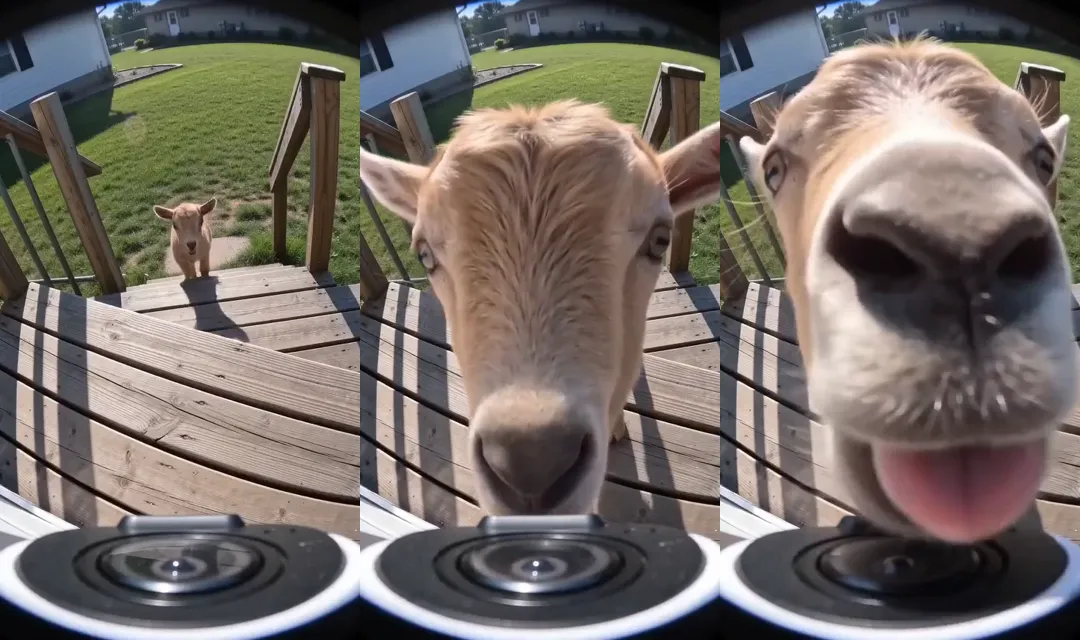
Model: Seedance 2.0 Fast · 9:16 · 5 s with sound · 53 credits. Watch the clip and run it.
Doorbell camera view of a sunny front porch: a curious baby goat trots up the steps, sniffs, then presses its nose and tongue right against the lens until a blurry pink snout fills the whole frame. Fixed wide fisheye shot, slightly washed-out security camera look. Sound: little hooves on wood and soft bleats.
Why it works: it names the camera type first, keeps the camera fixed, and gives one action that builds to a payoff. Security-camera clips were one of Sora 2's biggest trends, and this is the format.
2. Talking baby with one line of dialogue
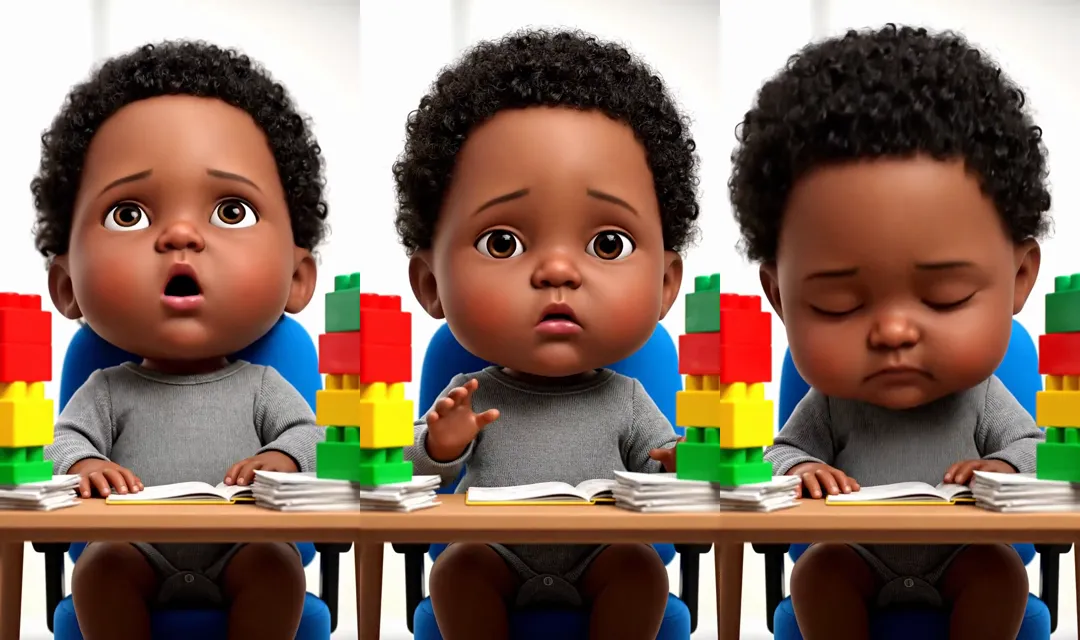
Model: Veo 3.1 Fast · 9:16 · 8 s with sound · 159 credits. Watch the clip and run it.
An AI-generated infant with an exaggerated, world-weary facial expression, lets out a long, audible sigh of exasperation. Sitting in a tiny, toy-filled office chair at a miniature desk, surrounded by stacks of colorful blocks pretending to be paperwork. Close-up, static shot, focused on the baby's face. Bright, soft studio lighting. A hyper-realistic, slightly uncanny look. Sound: "Oh, the paperwork never ends."
Why it works: one short line in quotation marks, which is how Google's guide tells you to write speech for Veo, plus a static close-up so nothing competes with the face.
3. A cat performing to the camera
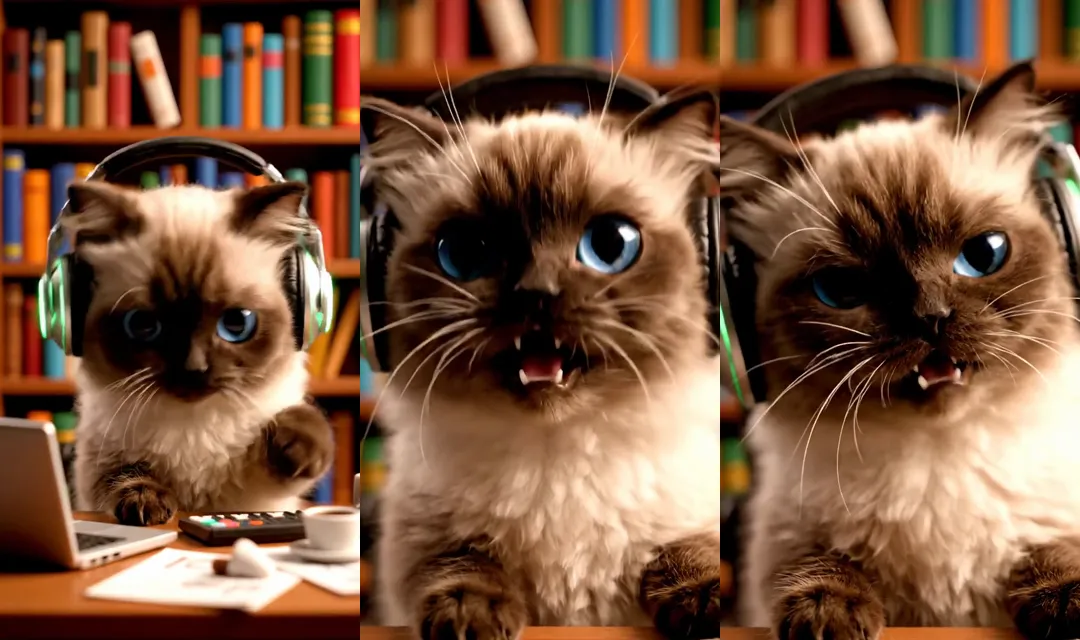
Model: Veo 3.1 Fast · 9:16 · 8 s with sound · 159 credits. Watch the clip and run it.
A small, fluffy cat, wearing tiny headphones, performs with intense, expressive reactions behind a cluttered miniature office desk setup. A tiny bookshelf forms the backdrop. Close-up, gentle push-in on the cat's face. Warm, soft studio lighting. High-fidelity, slightly whimsical animation. Sound: "Yeah, that's the groove!"
Why it works: one gentle camera move (a push-in), one performer, and a spoken line kept short enough for the clip.
4. Pet comedy: the bulldog who won't give up the remote
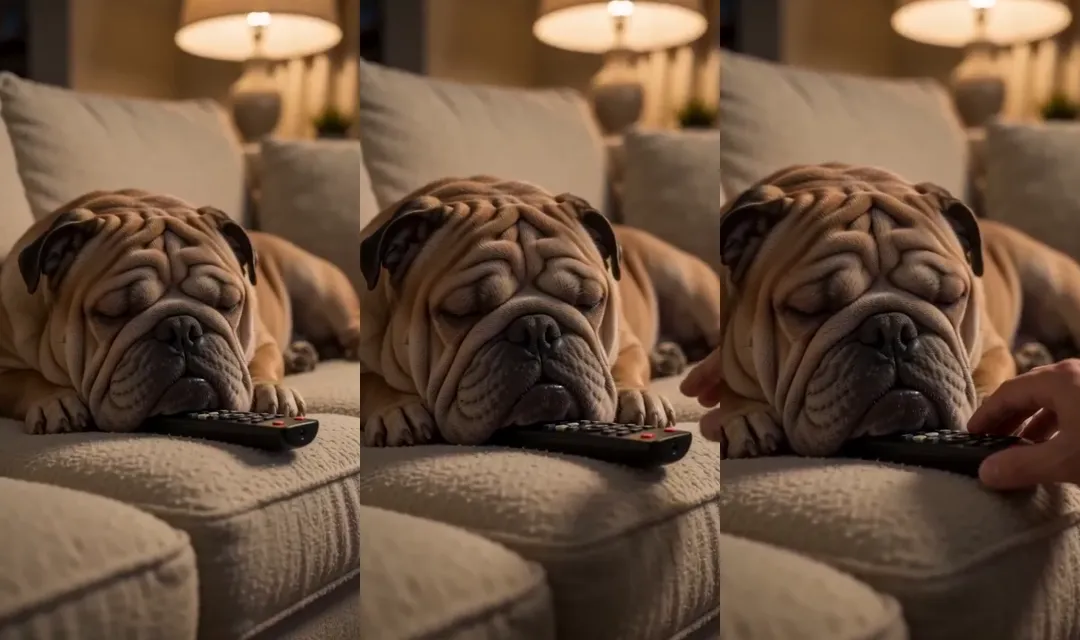
Model: Seedance 2.0 Fast · 9:16 · 5 s with sound · 53 credits. Watch the clip and run it.
A wrinkly bulldog lies on a sofa with its chin pressed firmly on the TV remote, eyes half closed; a hand slowly reaches in and the bulldog lets out a low, lazy grumble without moving an inch. Close-up at sofa height, shallow depth of field. Warm evening lamplight. Sound: a low grumble and a quiet TV in the background.
Why it works: the joke is a single beat (the hand reaches in, the dog doesn't move), and the sound line describes exactly what to hear.
5. Anime: last train home
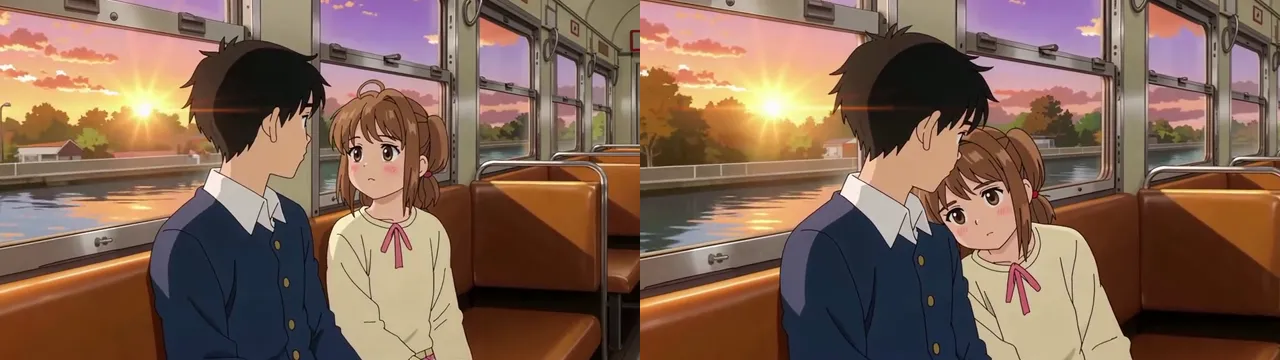
Model: Seedance 1 Pro · 16:9 · 5 s, no sound · 100 credits (HD). Watch the clip and run it.
Anime style: a boy and a girl sit in an empty train carriage at sunset, golden light flickering through the windows as the train crosses a river; she slowly leans her head on his shoulder. Side medium shot, slow push-in. Warm orange and violet colors, soft hand-drawn anime look.
Why it works: the style comes first, the palette is named (orange and violet), and the only action is one slow, readable gesture.
6. Cinematic action: samurai in the rain
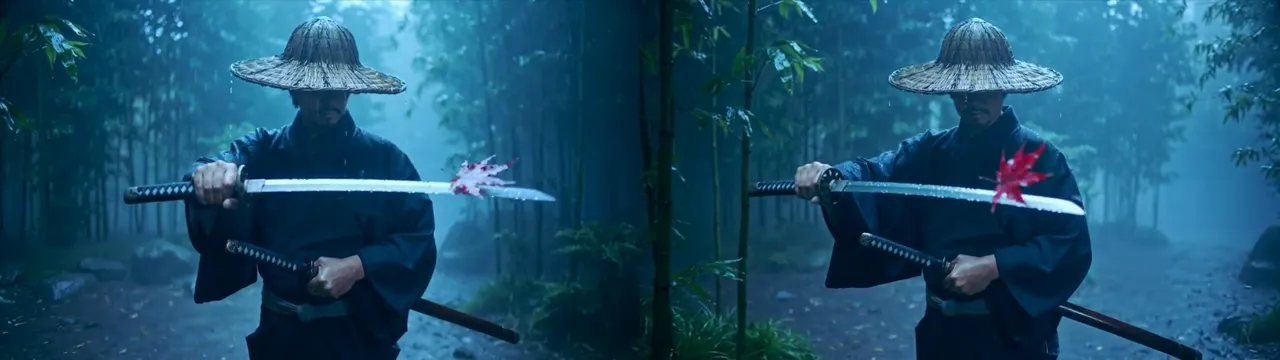
Model: Kling 2.5 Turbo Pro · 16:9 · 5 s, no sound · 47 credits. Watch the clip and run it.
A lone samurai in a straw hat draws his sword in a bamboo forest during heavy rain, a single red leaf drifting past the blade. Slow-motion medium shot, the camera circles him. Cold blue light, mist between the stalks, dramatic cinematic look.
Why it works: one strong color accent (the red leaf against cold blue) and one camera move, so the eye goes straight to the blade.
7. Epic: a Viking longship in a storm
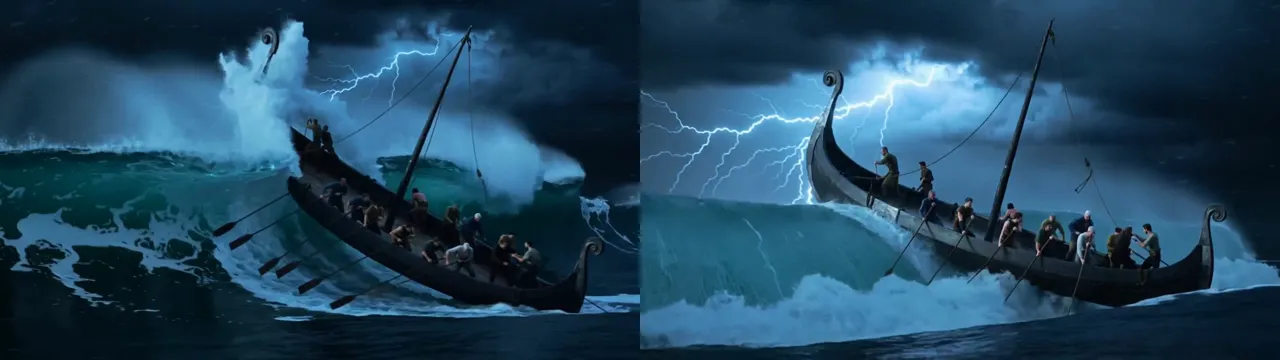
Model: Kling 2.5 Turbo Pro · 16:9 · 5 s, no sound · 47 credits. Watch the clip and run it.
A Viking longship crashes through a towering storm wave at night, lightning flashing across its carved dragon-head prow as the crew pull hard on the oars. Low wide shot from the water, the camera rising with the wave. Dark blue storm light, white spray, epic film look.
Why it works: the camera move is tied to the action (rising with the wave), so motion and story agree.
8. ASMR: cracking a sugar-glass dome
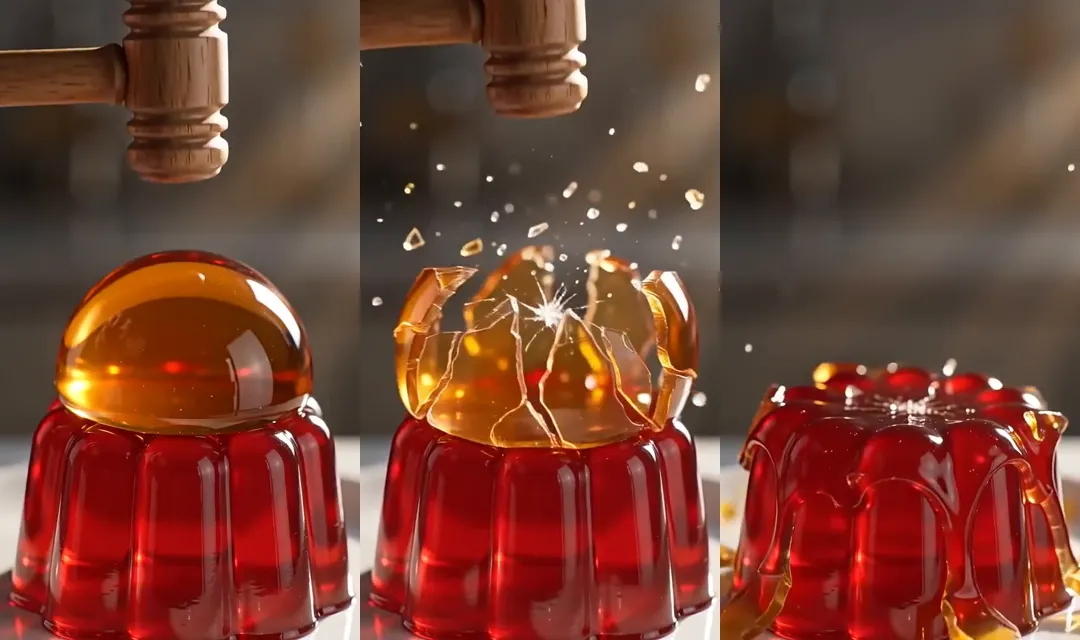
Model: Seedance 2.0 Fast · 9:16 · 5 s with sound · 53 credits. Watch the clip and run it.
A small wooden mallet taps a clear amber sugar-glass dome sitting on a wobbling red jelly; the dome cracks into glittering shards that slide down the jelly's sides. Static macro close-up. Warm side light, glossy dessert look. Sound: a bright crack and tinkling shards.
Why it works: satisfying clips need a static camera and a sound you can almost feel. Both are spelled out.
9. Tiny world: a village inside a snow globe
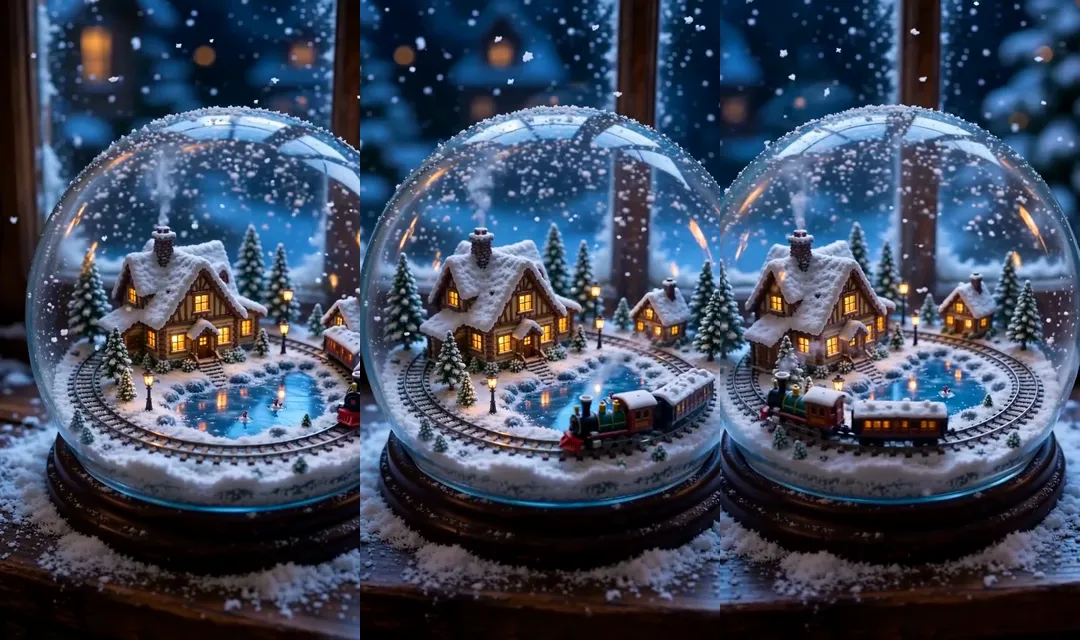
Model: Wan 3 · 9:16 · 5 s with sound · 93 credits (HD). Watch the clip and run it.
Inside a snow globe on a windowsill, a tiny village at night: lit cottage windows, a little train circling a frozen pond, snow swirling as if someone just shook the glass. Slow orbit around the globe. Warm golden village lights against a blue night, magical miniature look.
Why it works: a slow orbit shows off a miniature from every side, and warm-against-blue lighting reads clearly on a phone screen.
10. 3D animated short: a robot and a flower
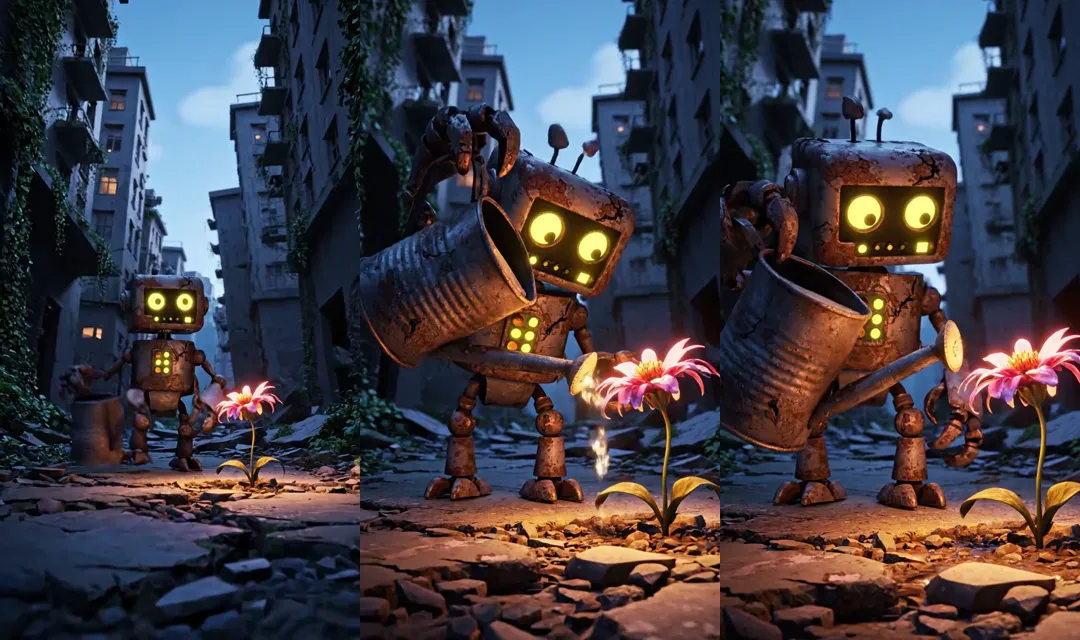
Model: Veo 3.1 Fast · 9:16 · 8 s with sound · 159 credits. Watch the clip and run it.
A small, rusty robot carefully watering a single wilting flower in a desolate urban landscape. A crumbling, overgrown concrete city alley, bathed in twilight. Low angle, slow track forward, emphasizing the robot's gentle movement. Muted, desaturated light with a warm glow on the flower. Poignant, slightly melancholic 3D animation with textured surfaces. Sound: Gentle, melancholic ambient music with a soft 'drip' sound.
Why it works: it follows Google's Veo formula almost exactly: subject, action, context, camera, then style and sound in their own sentences.
How to turn a Sora 2 prompt into a Veo, Kling or Seedance prompt
The description carries over. What changes is clip length, how you write speech, and how you split a clip into shots. This is what each maker's own guide says:
Sora 2 (OpenAI) | Veo 3.1 (Google) | Kling 4.0 (Kuaishou) | Seedance 2.5 (ByteDance) | |
|---|---|---|---|---|
Clip length | 4 to 20 s, set in the settings | 4, 6 or 8 s | 3 to 30 s | Up to 30 s (Seedance 2.0: 4 to 15 s) |
Prompt order | Scene, cinematography, actions, dialogue | Cinematography, subject, action, context, style | Subject, action, setting, camera, lighting, pacing, sound | Subject, location, event, style, camera |
Speech | A Dialogue section with short lines | In quotation marks | In quotation marks; describe the voice | Character's line (emotion): content |
Several shots | Make separate clips and edit them together | Timestamps such as [00:00-00:02] | Time ranges such as 0–3 s | Shot 1, Shot 2, or timestamps |
Saying no | Not covered | Describe what's there instead of "no …" | Only "no subtitles" and "no background music" are needed | Positive wording; "no subtitles" and "no BGM" work |
Sources: OpenAI's Sora 2 guide, Google's Veo 3.1 prompting guide, Kling's Kling 4.0 user guide and Kling 4.0 overview, and BytePlus's Seedance 2.5 prompt guide and Seedance 2.0 model page.
A worked example
Here is a prompt written in Sora 2's template:
A raccoon in a tiny chef's hat sneaks into a moonlit backyard and lifts the lid of a grill. Cinematography: security camera, fixed high angle, night vision. Mood: sneaky and funny. Actions: the raccoon tiptoes in; it lifts the lid; it freezes when a porch light clicks on. Dialogue: none. Background sound: crickets, a metal clank.
For Veo 3.1, keep it to one 8-second clip, merge the parts into sentences and give the sound its own sentences: "Security camera footage, fixed high angle, black-and-white night vision: a raccoon in a tiny chef's hat tiptoes into a moonlit backyard, lifts the lid of a grill, then freezes as a porch light clicks on. SFX: crickets, a metal clank as the lid lifts."
For Kling 4.0, which can run longer, give the beats time ranges: "0–3 s: the raccoon tiptoes in. 3–6 s: it lifts the grill lid with a clank. 6–8 s: a porch light clicks on and it freezes." Then add the camera and sound, and "no background music" if you only want natural sound.
For Seedance 2.5, label the shots instead: "Shot 1: fixed security camera, the raccoon tiptoes in. Shot 2: it lifts the grill lid. Shot 3: the porch light clicks on and it freezes." Keep one camera move per shot, and add "no subtitles" so no text is burned into the video.
If the Sora prompt used a cameo, like "@yourname surfing", replace the username with a reference image of the person or character, because cameo names only ever worked inside Sora. Use only images of yourself or people who agreed to it.
Where to run these prompts
Every prompt above has a page in Secret Prompts with the full clip and a "Generate this" button that loads the same model and settings in AITube's AI Studio. The same studio also runs the newest Sora alternatives, including Kling 4.0, Veo 3.1 and Seedance 2.0 and 2.5, paid per clip with credits from $3 and no subscription needed. Save a card (no charge) and your first AI video is free. Prices for every model are on the pricing page.
To see how the newest models handle one prompt side by side, read our Kling 4.0 vs MiniMax H3 vs Gemini Omni test. For the full list of replacements, see the best Sora alternatives, and for prompt basics, How to Prompt. The 620+ Sora videos still on AITube are good inspiration too. When a clip turns out well, you can publish it to an audience that comes to watch AI video and enter it in a Prompt Battle.
Frequently asked questions
Prompting advice was checked on OpenAI's, Google's, Kuaishou's and ByteDance's own pages on 12 November 2026, and credit prices on AITube the same day. Models change often, so test a short clip before a long one.