
Video editor · Reviewed 16 Oct 2026
AITubeVSCapCutThe CapCut alternative for AI creators
Create, edit, publish and grow in one AI-native ecosystem vs a powerful standalone editing suite.


- Publishes to its own AI-only audience
- Prompt Battles with cash prizes
- Seedance, Hailuo 02 and PixVerse V5 built in
CapCut leads on video editing. AITube leads on community, reach, creator challenges, earning and AI-native focus.
- Deep mobile and desktop editing
- Large effects/template ecosystem
- Strong captions and social editing workflow
The short answer
Choose AITube if you want more than editing: generate AI video, build a creator identity, publish into an AI-focused feed, join challenges and pursue monetization without leaving the ecosystem.
Creators who want AI generation + editing + publishing + audience + monetization in one product.
Fast social editing, templates, effects, captions and broad creator post-production.
you edit in CapCut and want a feed built for AI video to publish to.
- Category
- AI video platformCapCut: Video editor
- Free to start
- Yes, a free accountCapCut: see their current plans
- AI video models
- Kling 4.0, MiniMax H3, Gemini Omni, Grok Imagine, Seedance 2.0 and 2.5, Veo 3.1, Wan, PixVerse V6 and Runway Gen-4.5CapCut: Yes
- Built-in audience
- Yes, a feed of AI video onlyCapCut: No, you publish elsewhere
- Earn from videos
- Prompt Battle prizes and payoutsCapCut: Through other platforms
- Last reviewed
- 16 Oct 2026Both products, public features only
Side by side
AITube vs CapCut: feature comparison
| Capability | AITube | CapCut |
|---|---|---|
| AI video generation | Yes | Yes |
| Timeline video editor | Yes | Yes |
| AI-only video community | Yes | No |
| Native publishing feed | Yes | No |
| Prompt Battles | Yes | No |
| Creator monetization layer | Yes | No |
| Audience analytics | Creator/channel analytics | Project/workflow oriented |
| End-to-end AI creator journey | Create → Edit → Publish → Grow → Monetize | Create → Edit → Export |
AITube in use
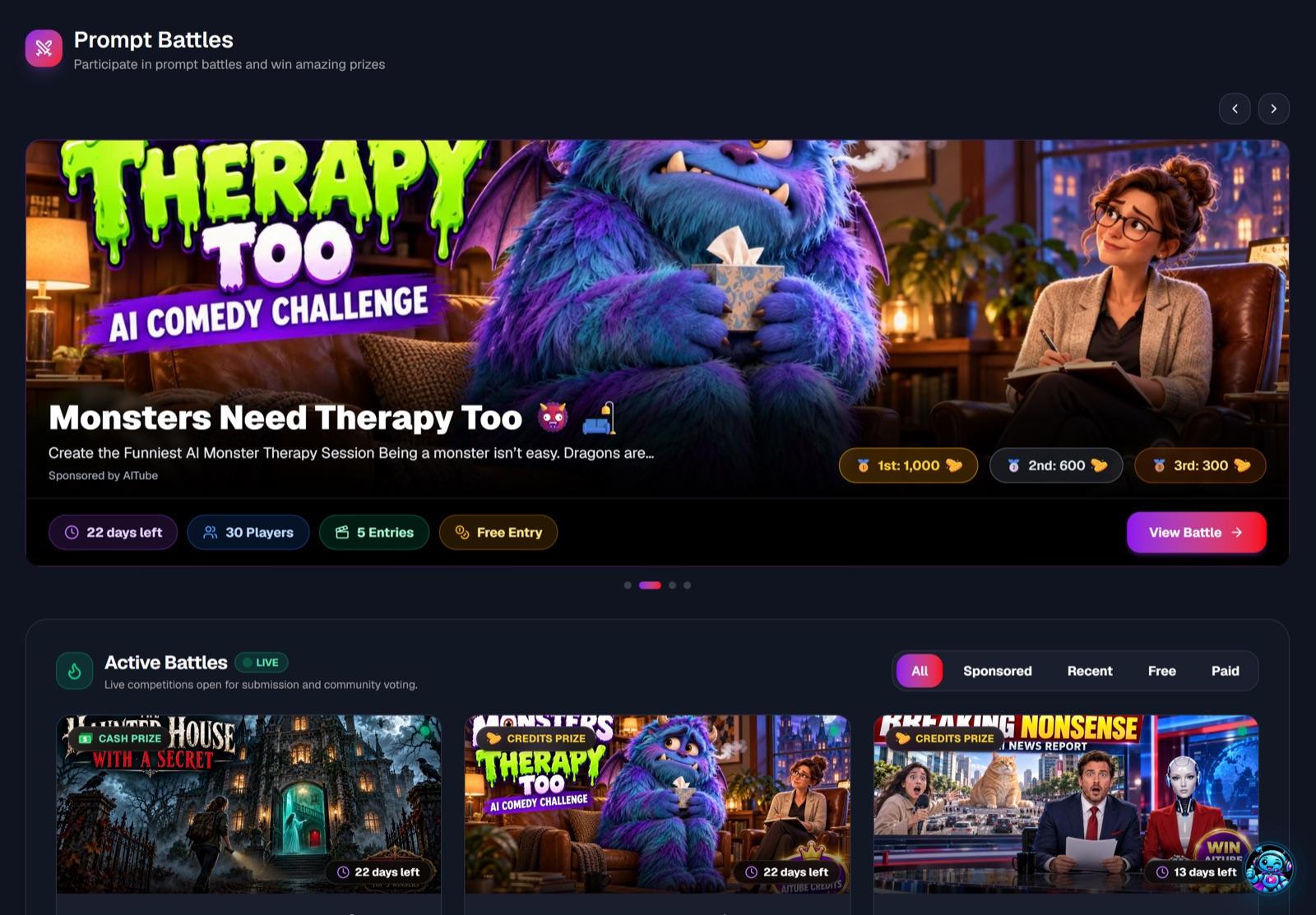
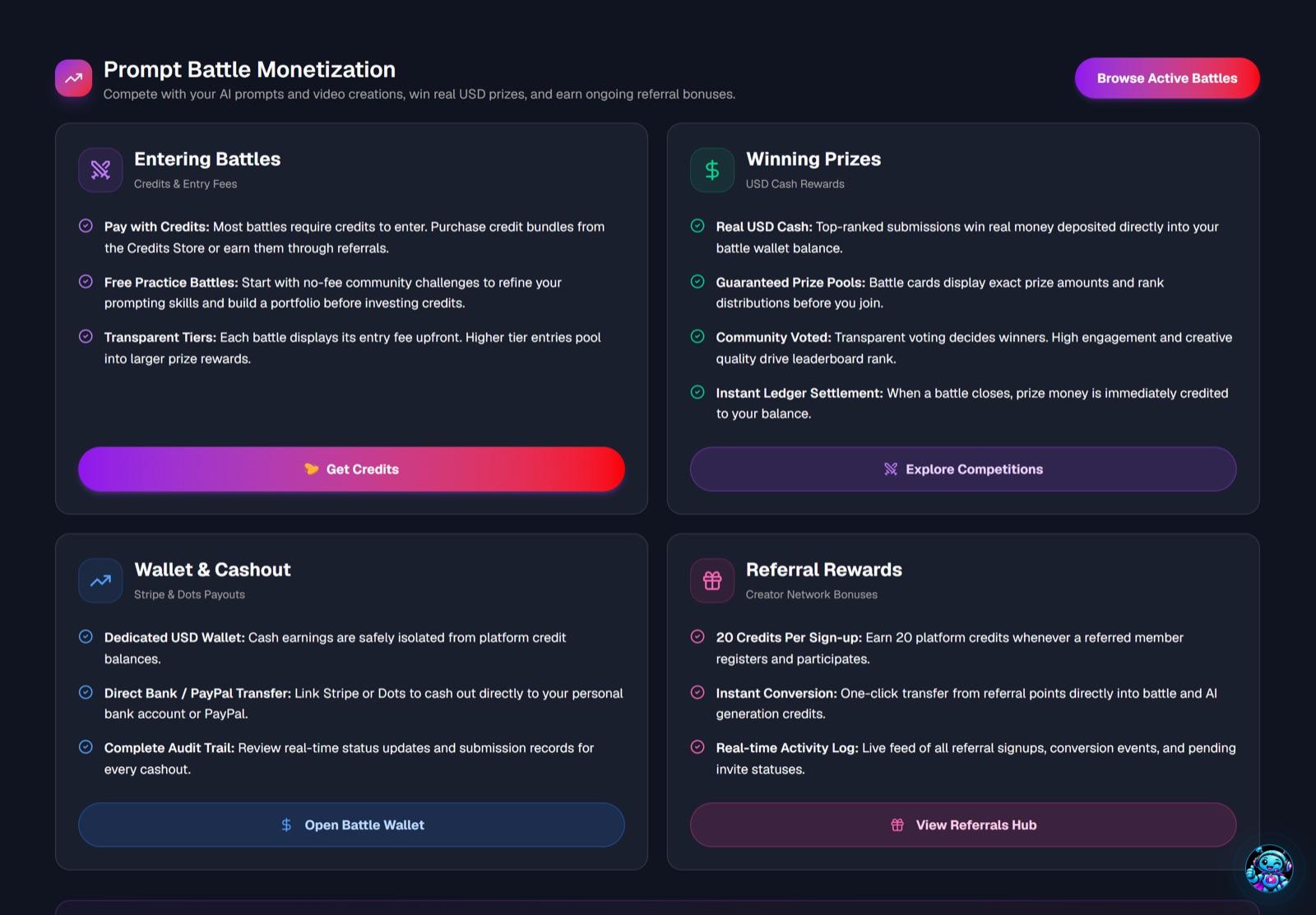
What happens after the export
CapCut’s job ends when the file is exported. These are the AITube screens that pick up from there.

Which to choose
Where each one earns its place
Choose AITube if
You want to grow as an AI video creator, not just make files.
- AI generation and editing in one workflow
- Publish straight to an AI-focused audience
- Build a creator profile and followers
- Enter Prompt Battles and creator challenges
- Earn prizes and withdraw them through Stripe, or by bank transfer in Pakistan, India and the Philippines
Choose CapCut if
Fast social editing, templates, effects, captions and broad creator post-production.
- Deep mobile and desktop editing
- Large effects/template ecosystem
- Strong captions and social editing workflow
Pricing
What AITube costs, live
Publishing on AITube is free. Credits pay for AI generation, and unused subscription credits roll over. Prices come live from AITube's plans (this page refreshed 15 Nov 2026, 00:21 UTC).
Account, watching, publishing and the community.
150 credits that never expire. 1 credit = $0.02
1,050 credits a month that roll over.
2,200 credits a month that roll over.
CapCut: CapCut offers free and paid memberships with AI credits; AITube combines free platform access with optional creator plans and generation credits. Prices change often, so check CapCut’s own pricing page before you buy. See every AITube plan.
FAQ
AITube vs CapCut: common questions
Is AITube a good CapCut alternative?
Choose AITube if you want more than editing: generate AI video, build a creator identity, publish into an AI-focused feed, join challenges and pursue monetization without leaving the ecosystem. Where CapCut is stronger: Fast social editing, templates, effects, captions and broad creator post-production.
Is AITube better than CapCut?
For pure editing depth, CapCut is a strong specialist. For an end-to-end AI creator platform that includes generation, editing, publishing, community, challenges and monetization, AITube is designed for the broader workflow.
Does AITube include a video editor?
Yes. AITube's Creator Studio includes timeline-based editing, captions, effects, music, voiceover and clip stitching.
Keep comparing
More comparisons

Edited it in CapCut? Publish it where AI video lives.
Publish to a feed built for AI video, enter Prompt Battles and earn from your work. Free to start.