Key takeaways
AI meme videos animate a single still photo into a short, funny reaction or dance clip.
AITube's AI Meme Videos feature offers 11 meme templates, works from your own photo, and now includes sound.
The best results come from clear, front-facing photos with good lighting.
Only use photos you have the right to use: your own, or people who have agreed. Never use someone's photo without consent.
Memes used to be a still image with bold text. Then they became GIFs, then short reaction clips. Now AI has added a new twist: you can take a single photo, of yourself, your pet or your own artwork, and turn it into a moving meme video in seconds.
Funny AI videos are one of the most shared kinds of content online, and AI meme videos are leading the trend. This guide explains how AI meme video makers work, walks you through making one on AITube, and shares ideas and tips to make yours actually funny.
What is an AI meme video?
An AI meme video is a short clip generated from a still image, usually a photo of a face or a character, where AI animates the subject into a recognisable meme reaction: dancing, celebrating, looking shocked, laughing or cheering.
Instead of filming yourself acting out the reaction, you give the AI a photo and pick a template. The AI handles the movement, expression and timing. Some tools also add sound effects or music so the meme lands properly.
Typical AI meme formats include:
Victory dances: the subject breaks into a celebration.
Mind-blown reactions: the classic "my brain just exploded" moment.
Cheers and toasts: raising a glass to celebrate.
Shocked or surprised faces: perfect for reacting to news or plot twists.
Laughing and crying-laughing: for when something is just too funny.
From image macros to AI meme videos: a quick history
Memes have always followed whatever technology made them easiest to create. First came image macros, a photo with bold white text at the top and bottom. Then reaction GIFs took over, letting people reply with a looping clip from a film or TV show. Short-form video added remixes, lip-syncs and trending sounds.
Each step made memes more expressive, but they still depended on someone else's footage. AI meme videos change that. Because the motion is generated, the star of the meme can be you, your dog, your mascot or a character you designed. It's the first meme format that is personal by default, which is a big part of why it's spreading so quickly.
Why AI meme videos go viral
Some AI meme videos get shared thousands of times. A few reasons:
Surprise. Seeing a familiar still photo suddenly move is funny in itself.
Personalisation. A meme starring your friend group's in-joke or your pet hits harder than a generic one.
Speed. You can react to a trending moment within minutes, while it's still relevant.
Short and loopable. A few seconds is perfect for replies, Stories and Shorts feeds.
Universal reactions. Celebrating, shock and laughter need no translation, so AI meme videos travel across languages and countries.
How AI meme video makers work
Behind the scenes, AI meme tools use image-to-video AI models. Here's the simplified version:
The AI reads your photo, identifying the face, body and background.
A template supplies the motion, such as a dance, a head shake or a cheer.
The model generates new frames that animate your subject to match the template while keeping their look consistent.
Sound is added, if the tool supports it, to match the reaction.
The result is a few seconds of video that looks like your photo came to life.
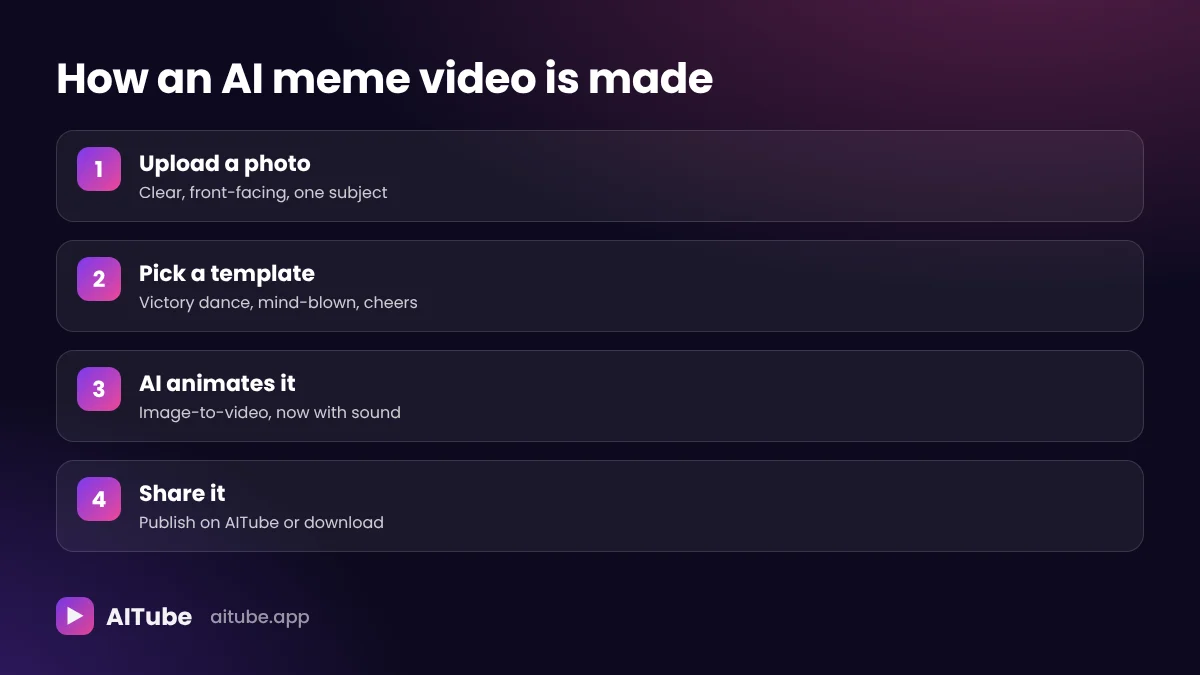
How to make an AI meme video on AITube
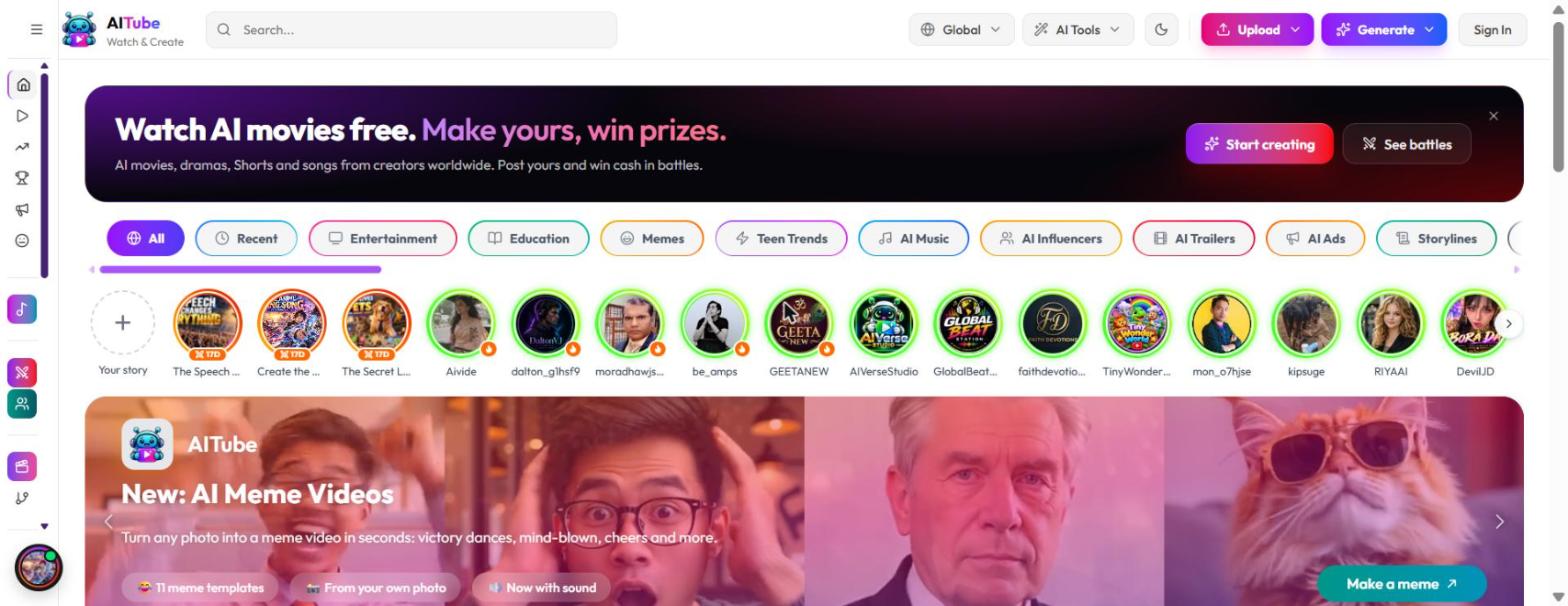
AITube recently added AI Meme Videos, which turns any photo into a meme video in seconds, with 11 meme templates, support for your own photo, and sound.
Open AI Meme Videos
Go to aitube.app and find the AI Meme Videos feature (look for "Make a meme" on the home page), then sign in with Google, email or Apple.
Upload a photo
Choose a clear photo of yourself, your pet, or a character you created. Only use photos you have the right to use.
Pick a meme template
Choose from the meme templates, including victory dances, mind-blown reactions, cheers and more.
Generate the video
The AI animates your photo into a short meme clip, now with sound.
Preview and download or publish
Watch it back, then publish it on AITube or download it to share with friends.
Related tool: AITube's Instant Effects also turns a single photo into a short effect clip, which is useful when you want something more visual than a classic meme reaction.
15 AI meme video ideas to try
Need inspiration? These formats consistently get laughs:
Your pet's victory dance: a cat or dog celebrating after knocking something off the table.
Mind-blown at a plot twist: use it as a reaction to a series finale.
Exam results celebration: a victory dance for passing (or surviving) exams.
Monday morning shock: a stunned reaction captioned "when the alarm goes off."
Payday cheers: raise a glass when the salary lands.
Group chat reactions: make a reaction video of yourself to reply with instead of an emoji.
Birthday surprise: turn a friend's photo (with their permission) into a celebration clip.
Cricket or football win: a celebration for your team's last-minute goal or wicket.
Your own character or mascot: animate an AI character you designed.
"Me after one coffee" vs "me after five": two clips with different energy levels.
Throwback photo comes alive: animate an old photo of yourself.
Work wins: a victory dance for finishing a project.
Gaming reactions: mind-blown at a clutch play.
Food reactions: shocked face at the size of a pizza.
Festival greetings: cheers and celebrations for Eid, Diwali, Christmas or New Year.
[[IMAGE: 08-ideas.webp]]
Tips for making funnier AI meme videos
Use a clear, front-facing photo. Good lighting and a visible face give the AI more to work with.
Keep the background simple. Busy backgrounds can distract from the reaction.
Match the template to the moment. A victory dance for wins, mind-blown for surprises. The context makes the joke.
Add a caption. Most memes need a one-line setup ("When the code works on the first try").
Keep it short. Memes work best in a few seconds. Don't overthink it.
Timing is everything. Post reaction memes while the moment, like a big match or trending news, is still fresh.
Test a few templates. The same photo can be funny in one template and flat in another.
Common AI meme mistakes to avoid
Blurry or tiny photos: low-quality images give wobbly, unconvincing results.
Faces at an angle or half hidden: sunglasses, hands or strong shadows can confuse the animation.
Too many people in one photo: a single clear subject works best.
No context: a dancing face without a caption or a reason is just a dancing face. The setup is the joke.
Posting too late: a reaction meme about yesterday's match feels stale today.
Using other people's photos: apart from being unkind, it breaks platform rules. Stick to photos you have permission to use.
Using photos responsibly
AI meme videos are fun, but they involve real faces, so it's worth being careful:
Use your own photos or photos of people who have clearly agreed.
Never use someone's photo without their consent, especially to embarrass or mislead.
No deepfakes or misleading content. AITube prohibits deepfakes and non-consensual imagery, and its rules don't allow content showing real people without their consent.
Pets, AI characters and your own artwork are always safe choices.
Think before you share. A meme that's funny in a private group chat might not be appropriate in public.
Following these rules keeps meme-making fun for everyone, and keeps your account in good standing.
Where to watch and share AI meme videos
On AITube
AITube has a dedicated Memes category in its AI-only feed, so you can watch funny AI videos and meme clips from creators around the world, free and without an account. Vertical memes also appear in Shorts, and the most popular ones show up in Trending.
When you publish your own AI meme video on AITube, it goes into the feed and search, vertical videos appear in Shorts, and your followers are notified. Publishing is free.
On other platforms
AI meme videos are made for sharing. Once you've downloaded yours, you can post it to messaging apps, social media or group chats. AITube encourages creators to share their AI work anywhere.
AI meme videos vs regular meme makers
AI meme video maker | Traditional meme maker | |
|---|---|---|
Input | One photo | Image or GIF plus text |
Output | Animated video clip, with sound | Static image or looping GIF |
Effort | Pick a template, generate | Find a template, add text |
Personal | Uses your own photo | Usually uses existing meme images |
Best for | Reactions, celebrations, personalised memes | Classic text-based jokes |
Both have their place, but AI meme videos win when you want something personal that nobody else has.
Can AI meme videos help you grow as a creator?
Yes. Memes are some of the most shared content online, and they're quick to make, which makes them a great way to stay active and build an audience.
On AITube, consistency is rewarded: daily streaks pay 5 to 200 credits at milestones, and a streak of 7 days or more boosts your videos in the feed. Badges pay credits when you first earn them, and the weekly leaderboard rewards the most active creators. Meme videos are an easy way to keep a streak going between bigger projects. Once your channel grows, approved creators can earn 55% of the ad revenue on their videos' watch pages.
Frequently asked questions
Make your first AI meme video
All you need is a photo and a sense of humour. Pick a template, generate, and watch your photo come to life.